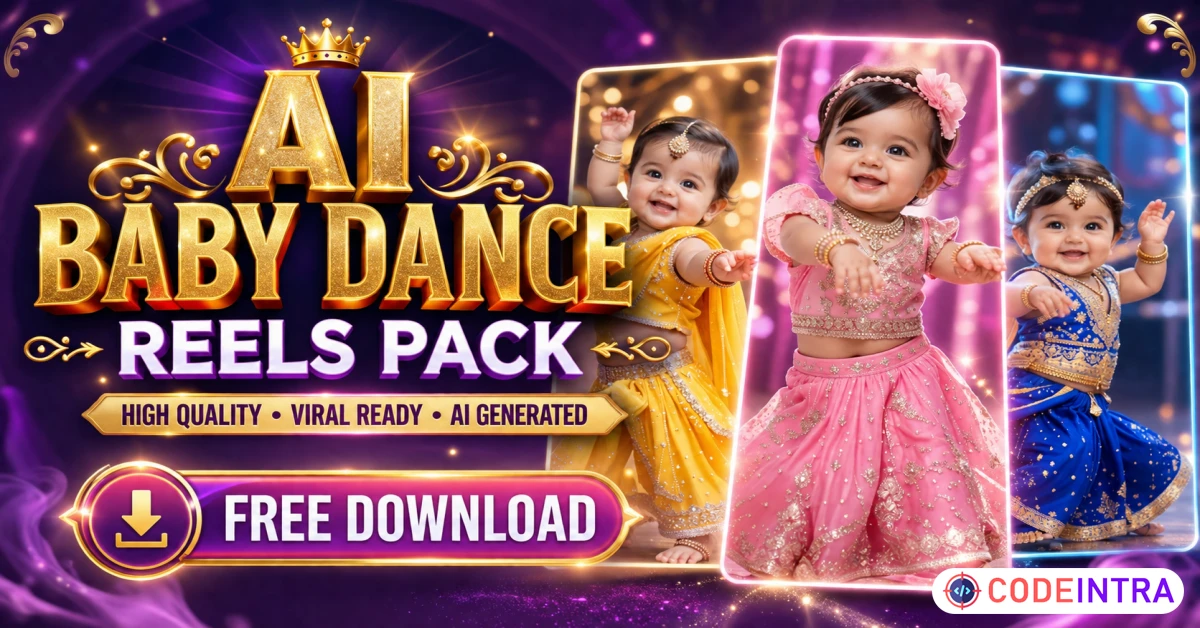

Creating fresh short-form content every day sounds simple until you have to find an idea, generate a video, edit it, add music, write a caption, and publish it consistently. The AI Baby Dance Reels Pack gives creators a faster starting point with a curated collection of playful AI baby dance videos made for social media posting.
Instead of building every clip from zero, you can choose a reel, customize it for your page, and prepare your next post in less time. This makes the pack useful for creators who want to post regularly without spending hours producing every short video.

This pack is designed for content creators, theme-page owners, social media managers, digital marketers, and small businesses that want entertaining short-form video content without a complicated production process. The videos can be used as the foundation for funny baby videos, cute AI clips, reaction posts, dance edits, meme-style reels, and light entertainment content.
The purpose of this pack is not to promise instant virality. No honest content seller can guarantee views, followers, engagement, or sales. Its real value is speed, consistency, and flexibility. You receive ready-to-use content ideas that can be adapted with your own captions, hooks, audio, branding, and posting style.
What Is the AI Baby Dance Reels Pack?
The AI Baby Dance Reels Pack is a downloadable digital content collection focused on AI-generated baby characters performing fun dance movements. These clips are suitable for vertical short-form content and can be prepared for reels, shorts, stories, and other mobile-first video feeds.
Each video gives you a visual base that can be turned into a unique post. Add a suitable sound, write a relatable caption, place a short text hook on the screen, include your logo, or combine multiple clips into a themed compilation.
This makes the pack useful for both beginners and experienced creators who want a more efficient content workflow. You do not need to spend time generating every baby character, fixing AI motion, testing dance prompts, and organizing individual video files.
Rather than searching for random clips across different websites, you can keep a focused library of AI baby reels in one place. This makes planning easier and reduces the time spent looking for your next post.
Why AI Baby Videos Work for Short-Form Content
Short-form viewers decide quickly whether to continue watching. Cute characters, clear movement, humor, and familiar dance styles can create an immediate visual hook. AI baby videos combine these elements in a format that is easy to understand before the viewer even reads the full caption.
The content is also flexible. One baby dance video can become a funny reaction, a relatable work joke, a family-friendly meme, a motivational post, or a trend-based edit. The same clip can support different themes when the text, music, pacing, and caption are changed.
For example, a confident baby dance can be used with a caption about finishing work early, receiving good news, reaching a small goal, starting the weekend, or finally completing a difficult task. The visual stays similar, but the context changes completely.
This does not mean you should upload the exact same reel repeatedly or copy other pages. Repetitive and unedited content can make a social account look careless. The better approach is to treat every clip as creative material. Add something original so your page develops a recognizable voice.
What You Can Create with This Reels Pack
The pack can support many types of social media posts. You can use the videos for simple entertainment or turn them into a repeatable content series. A consistent series is often easier for viewers to recognize than a page filled with unrelated posts.
- Funny AI baby dance reels with short punchlines
- Cute baby videos with upbeat music
- Relatable meme reels about work, school, family, or daily life
- Reaction-style posts using short on-screen text
- Dance challenge edits with your own captions
- AI-generated baby videos for entertainment theme pages
- Short video compilations created from multiple clips
- Branded reels for humor and entertainment accounts
- Story posts, teaser clips, polls, and engagement questions
- Faceless content for creators who do not appear on camera
- Weekend mood reels and celebration posts
- Motivational reels with confident dance movements
You do not need to use every idea. Choose two or three formats that match your audience and repeat them with different clips. A focused page usually looks stronger than a page that changes its topic and style every day.
Who Is This Digital Reels Bundle For?
The AI Baby Dance Reels Pack is made for people who need a regular supply of visual content but do not want to film themselves. It can also help anyone testing a new entertainment page before investing in expensive software or a complete video production setup.
Content Creators
Creators can use the pack to fill gaps in their posting calendar, test new hooks, or build a recurring AI baby content series. It is especially useful when you need a light and visual post between longer educational, personal, or promotional videos.
Theme-Page Owners
Entertainment, humor, dance, meme, and cute-content pages can customize the clips around a clear theme. Use consistent fonts, caption styles, cover designs, and colors so the page feels original rather than assembled from unrelated downloads.
Social Media Managers
Managers handling several accounts often lose time searching for usable short-form assets. A ready-to-post reels pack can make content planning faster. However, every client post should still be customized to match the client’s brand, audience, and communication style.
Small Businesses
A business can use selected clips for light engagement posts, seasonal messages, celebrations, or humorous reactions. The content should support the brand rather than replace important product information, customer reviews, useful guides, or educational posts.
Beginner Video Editors
Beginners can practice adding text, music, transitions, logos, subtitles, and calls to action without first learning how to generate an entire AI video. This provides an easier route into short-form video editing.
Faceless Content Creators
The videos can also support creators who prefer not to record their face or voice. You can create entertaining posts using the AI baby clips, captions, sound effects, and text-based storytelling.
How to Use the AI Baby Dance Reels Pack
Using the pack is straightforward, but simply uploading files without editing is the weakest strategy. Follow a basic process that adds context and originality to each post.
Choose a Clip That Matches Your Idea
Start with the message, not the video. Decide whether the post will be funny, relatable, cute, motivational, celebratory, or trend-based. Then choose a baby dance clip that fits the emotion and pacing of that idea.
Add a Strong Opening Hook
Place a short line of text near the beginning. The hook should be readable in one glance. Avoid long introductions that delay the joke or main point.
Possible hook ideas include:
- Me after completing one task
- When the weekend finally starts
- When the payment notification arrives
- My mood after canceling unnecessary plans
- When the client approves everything
- Me pretending Monday is going well
- When the food delivery is five minutes away
Select Suitable Audio
Use music or sound that matches the movement. Check the music rules and available audio library of the platform where you plan to publish. A popular sound can help a post feel current, but the visual and caption should still make sense without depending completely on the audio.
Add Your Own Branding
Use a small logo, account name, color style, or consistent text format. Do not cover the main character with a large watermark. Branding should make the post recognizable without making the reel difficult to watch.
Write a Natural Caption
Keep the caption connected to the actual clip. Use one clear idea, a simple question, or a short call to action. Do not paste a large block of unrelated keywords below every post.
Search-friendly wording works best when it still sounds like normal human language. A short, relevant caption is usually more useful than a paragraph filled with repeated phrases.
Publish and Review Performance
Track which hooks, sounds, topics, and clip styles hold attention. Do not judge the entire pack from one post. Test several variations, compare the results, and use the strongest format again with a fresh concept.
How to Make Ready-to-Post Reels Feel Original
A downloadable reels bundle saves production time, but your editing decisions create the final identity. Posting unchanged files may be fast, yet it gives viewers little reason to remember your account.
Small improvements can make the same visual asset feel more specific and useful.
- Rewrite every caption in your own tone
- Add a unique hook instead of copying common text
- Use consistent cover images across the page
- Combine two or three clips into a mini story
- Add voice-over commentary or a personal reaction
- Use subtitles when spoken audio is included
- Trim slow openings and remove unnecessary frames
- Match each clip to a clear audience interest
- Rotate entertainment, engagement, and promotional posts
- Avoid publishing several nearly identical clips together
- Change the pacing to match the selected audio
- Add relevant questions that encourage genuine comments
The strongest pages do not depend on one trend forever. Use AI baby dance reels as one content category, then support them with original posts, audience replies, useful tips, behind-the-scenes content, or relevant product information.
A Simple Seven-Post Content Plan
You can turn the AI Baby Dance Reels Pack into a practical weekly posting system. The following example keeps the concept consistent while changing the purpose of each reel.
- Post 1: A funny Monday reaction with a short workplace caption
- Post 2: A cute dance reel using upbeat music
- Post 3: A tag-a-friend post built around a relatable habit
- Post 4: A short motivational line matched with confident dance movement
- Post 5: A weekend mood reel with a simple question
- Post 6: A compilation of three quick baby dance clips
- Post 7: A branded post connecting the entertainment theme to your page or offer
Do not publish only because a schedule says you must. Remove weak posts, improve unclear hooks, and keep the formats that fit your audience. Consistency matters, but consistently publishing poor content is not a smart strategy.
Tips for Better Engagement
The video itself is only one part of a successful post. The opening text, caption, cover, sound, and audience response also affect how people experience the content.
Start with a clear visual moment instead of a blank screen or long logo animation. Keep the first text line short. Make sure it can be read easily on a mobile screen. Avoid placing important text too close to the edges, where interface buttons may cover it.
Use captions that give viewers a reason to respond. Questions should be simple and connected to the video. Instead of writing “Comment below,” ask something specific such as “What makes you dance like this?” or “Who has this exact weekend mood?”
Do not use dozens of unrelated hashtags. Choose a small group that genuinely describes the clip, topic, and audience. Repeating the same large hashtag block under every reel can look automated and careless.
Most importantly, reply to real comments. A page that posts constantly but never interacts with viewers is not building a strong community.
SEO-Friendly Keywords for This Product
The primary keyword for this page is AI Baby Dance Reels Pack. It clearly describes the product and matches buyer intent better than vague phrases such as “best viral content” or “guaranteed viral videos.”
Supporting keywords can be used naturally in headings, body copy, image alt text, product descriptions, and internal links.
- AI baby dance reels
- AI baby reels
- AI baby videos
- AI dancing baby video
- Baby dance videos
- Viral baby reels
- Funny baby videos
- Cute baby videos
- Ready-to-post reels
- Viral reels pack
- Reels bundle download
- Short-form video content
- Faceless content pack
- Social media reels bundle
- AI-generated baby videos
Do not force every keyword into every paragraph. That creates awkward copy and can reduce trust. Use the main phrase in the title, opening section, one heading, and final call to action. Use related terms only where they accurately describe the product.
Important Usage and Content Guidelines
Before publishing or using the clips for a client, review the license included with your purchase. Do not assume that download access automatically includes resale rights, redistribution rights, paid advertising rights, or permission to sell the original files as your own product.
Use music that you are allowed to publish. A video file and an audio track can have separate usage rules. Always follow the current music, copyright, disclosure, and content requirements of the platform where you post.
Do not present AI-generated characters as real children. Avoid misleading descriptions, fake personal stories, or captions designed to make viewers believe a synthetic character is a real person.
Avoid captions that exploit sensitive topics, target an individual, or create harmful stereotypes. Light entertainment is safer and more sustainable than deceptive content designed only to shock viewers.
For client work, confirm that the content style matches the brand. A playful AI baby reel may suit an entertainment page but look unprofessional on a serious legal, medical, or financial account. The format must fit the audience and purpose.
Why Choose This AI Baby Dance Reels Pack?
This pack is built for practical content creation. It gives you a focused library instead of forcing you to search, generate, and organize every baby dance video separately. It can reduce setup work while leaving room for your own creative direction.
The pack supports several content styles. You can keep the videos simple, add meme text, create a themed series, build compilations, or use selected clips as attention-grabbing parts of a larger post.
The content can be adapted for different page styles without falsely claiming that one reel will work for every audience. Some clips may perform better as funny reaction posts, while others may work better with motivational text, celebration captions, or music-based edits.
Most importantly, the pack should be treated as a tool, not a complete growth strategy. Strong accounts still need clear positioning, original captions, consistent visual identity, audience interaction, and regular performance review.
The pack helps with your video supply. Your creative decisions determine how valuable the final posts become.
Frequently Asked Questions
Is the AI Baby Dance Reels Pack ready to post?
The clips provide a ready-to-use starting point. For a more original page, add your own caption, text hook, audio, cover, branding, voice-over, or edit before publishing.
Can I use these AI baby reels on different platforms?
You can prepare the clips for compatible short-form video platforms, subject to the product license and the current rules of each platform. Check the format, music, disclosure, and content requirements before posting.
Do I need video editing experience?
No advanced experience is required for basic use. A simple mobile or desktop editor can be used to trim clips, add text, insert music, place a logo, and export the final reel.
Will these reels make my page go viral?
No honest seller can guarantee virality. Views depend on the content idea, opening hook, editing, timing, audience fit, account history, and platform distribution. The pack helps you create and test content more efficiently.
Can I resell the downloaded videos?
Only when the included license clearly grants resale or redistribution rights. Standard personal-use or commercial-use permission does not always allow you to sell the original files. Read the license before offering the pack or individual clips to other people.
Can I add my own logo and captions?
Yes. Customization is one of the best ways to make the content fit your page. Keep logos small, use readable text, and avoid covering the main movement in the video.
Is this pack suitable for faceless content?
Yes. The videos can support a faceless content strategy because you do not need to film yourself. However, your captions, editing, positioning, and audience interaction should still feel original.
Can businesses use these videos?
Businesses may use suitable clips when permitted by the included license. The content should match the business tone and should normally be mixed with product posts, educational content, customer proof, and clear offers.
Start Creating AI Baby Dance Reels
Stop wasting hours searching for your next short-form video idea. Use the AI Baby Dance Reels Pack to build funny, cute, and engaging posts from a focused collection of AI baby dance content.
Choose a clip, add your own creative angle, and turn it into a reel that fits your page. Use the videos to test new hooks, build a repeatable series, fill your posting calendar, or develop a faceless entertainment account.
This is a digital product. Review the product details and included license before purchasing. Social media views, engagement, followers, and income are not guaranteed.