Animate Like Pro - 2D Animation in Animate - Beginner Level
Learn Adobe Animate from scratch! Master tools, principles & 2D animations with hands-on projects & expert guidance.

Make Someone's Day
Share this incredible course!
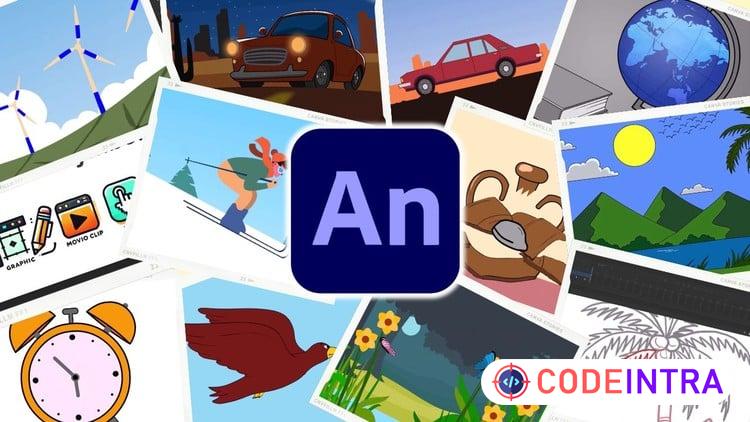
Want to bring your ideas to life with stunning 2D animations? This beginner-friendly course will teach you Adobe Animate from scratch, guiding you through essential tools, animation principles, and real-world projects. Whether you're an aspiring animator, artist, designer, or content creator, this course will help you create professional-quality animations step by step.
What You’ll Learn:
Master Adobe Animate Interface & Tools – Understand key features, properties, timeline, layers, and symbols.
Create Smooth Animations – Learn motion tweens, classic tweens, masking, and motion guides.
Work with Camera & Effects – Add dynamic zooms, pans, and cinematic effects to your animations.
Animate Objects, Text & Backgrounds – Design creative transitions, parallax effects, and engaging character movements.
Apply Animation Principles – Implement essential principles like squash & stretch, timing, and anticipation for natural motion.
Export & Optimize Your Animations – Learn the best settings to render animations for social media, YouTube, and professional projects.
Who is this Course For?
Artists & Designers – Bring your static designs to life with animation.
Aspiring Animators – Start your journey in 2D animation with hands-on projects.
YouTubers & Content Creators – Create engaging animated videos for your audience.
Educators & Professionals – Use animation to enhance presentations and e-learning content.
With expert guidance, exciting assignments, and ready-to-use vector files, you'll gain the skills to create smooth, eye-catching animations. Enroll now and start animating like a pro!
Learning Objectives
🔹Understand the Adobe Animate Interface – Learn how to navigate the software, manage workspaces, and customize settings for efficiency.🔹Master Essential Tools & Properties – Gain in-depth knowledge of Adobe Animate's drawing tools, gradient tool, and property adjustments.
🔹Create Smooth Animations Using Tweens & Symbols – Understand different types of tweens, work with symbols, and optimize animation workflows.
🔹Animate Objects, Text, and Backgrounds Creatively – Develop engaging animations using text, images, vector graphics, and parallax effects for depth.
🔹Apply Animation Principles to Realistic Movements – Implement key animation principles to create natural, smooth, and visually appealing animations.
🔹Develop Background & Parallax Effects – Design and animate nature backgrounds, parallax scrolling, and environmental elements for depth.
Prerequisites
🔹No prior animation experience is needed, but a passion for creativity and learning 2D animation will be beneficial.🔹Students should have a basic understanding of using a computer, including file management and navigating software.
🔹A working copy of Adobe Animate (any recent version) is required to follow along with the lessons and complete exercises.
Who This Course Is For
🔹Beginners in Animation – Anyone with no prior experience who wants to start learning 2D animation from scratch.🔹Graphic Designers & Illustrators – Professionals looking to expand their skills by adding motion to their designs and artwork.
🔹Aspiring Animators & Motion Designers – Students or hobbyists interested in mastering Adobe Animate for personal or professional projects.
🔹Content Creators & YouTubers – Individuals who want to create animated videos, intros, or explainer videos for online content.
🔹Teachers & Educators – Instructors who want to use animation for e-learning, storytelling, or interactive lessons.
🔹Artists & Digital Creators – Traditional and digital artists who want to bring their artwork to life with smooth animations.
Course Details

| Price | FREE |
| Views | 6 |
| Lectures | 48 |
| Duration | 10 hours |
| Last Update | 04-Jun-2026 |
| Release Date | 07-Feb-2026 |
| Category | Design |
|
30
|
|

This course includes:
📹 Video lectures
📄 Downloadable resources
📱 Mobile & desktop access
🎓 Certificate of completion
♾️ Lifetime access